Music player for macOS

Music. Organized.

Fibich is a simple yet powerful macOS music player focused on organizing your library and returning to your favorite tracks without the interface getting in the way.

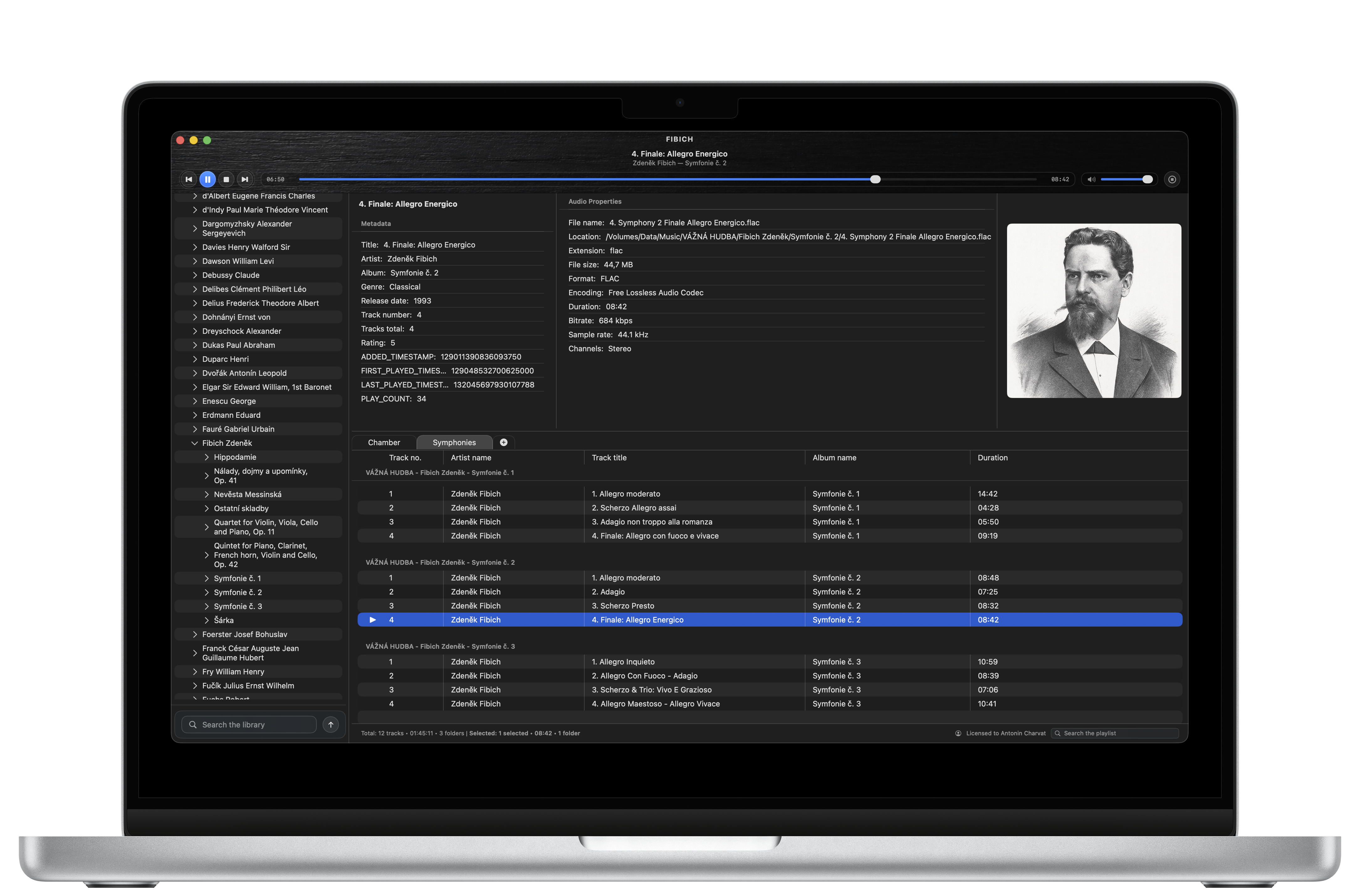
Fibich music player interface shown on a laptop

Current feature set

Made for serious local libraries.

Fibich combines wide format support, durable playlists, library organization, metadata tools, and macOS playback integration in one native player.

Native macOS player

  • Split layout for library browsing, playlists, artwork, details, and playback controls.
  • Built for local music libraries on macOS.
  • Choose which supported audio files open in Fibich from Finder and how they are handled.

Broad audio support

  • Plays FLAC, WAV, AIFF, ALAC/M4A, MP3, Opus, Ogg, WavPack, APE, Musepack, TTA, Shorten, DSD, and more.
  • Supports tracker modules such as XM, IT, MOD, and S3M.
  • Shows CUE sheets as virtual tracks with segment playback and badges.

Library management

  • Add persistent library folders.
  • Automatically scan folders and keep the catalog in sync.
  • Search, sort, browse folder trees, and rescan on demand.
  • Send selected folders or tracks to the active/new playlist.

Playlist workflow

  • Use, rename, and drag-reorder multiple playlist tabs, with horizontal scrolling as the tab row grows.
  • Add the same track more than once when a playlist calls for repetition.
  • Restore playlists, the last active playlist, columns, pane sizes, and scroll positions.
  • Drop external files or folders into playlists without adding library roots.
  • Customize columns and view track, folder, duration, and selection totals.

Playback controls

  • Play, pause, stop, skip, seek, mute, and adjust volume.
  • Stop after the current track.
  • Toggle total or remaining time in the scrubber.
  • Use macOS media keys and Now Playing controls.
  • Resume the last session and playback position on launch.
  • Control playback from the menu bar popover.

Metadata and artwork

  • View selectable track metadata and detailed audio properties.
  • Show embedded artwork or common cover images from album folders.
  • Edit tags, lyrics, ratings, identifiers, and custom fields.
  • Batch edit selected tracks while preserving untouched values.
  • Validate numeric fields and custom metadata keys.

Product direction

What Fibich is growing into.

The roadmap is intentionally small: practical improvements that build on working parts of Fibich and do not require reshaping the player. Priorities are grouped by direction rather than promised delivery dates.

The focus is on useful additions that fit naturally into Fibich’s existing local-library workflow.

In focus

Convert and export

Create portable copies while keeping the original library untouched.

  • Convert selected files, including FLAC to MP3 or AAC/M4A and WAV, AIFF, or ALAC to FLAC.
  • Begin with a small set of quality presets and a destination folder.
  • Keep originals untouched and carry over common tags and artwork where supported.

Planned

Playlist portability

Move listening plans between Fibich, folders, and other players.

  • Import and export common playlist formats such as M3U and M3U8.
  • Clearly report files that cannot be found or imported.
  • Export a playlist with optional converted copies in a chosen folder.

Planned

Simple library checks

Highlight common catalog problems without changing files automatically.

  • Flag missing common tags and unavailable artwork.
  • Surface potential duplicates using existing file and metadata information.
  • Let the listener review every result before taking action.

This is a statement of direction, not a fixed release schedule. Priorities may change as features are tested and Fibich users share what matters most.

Purchases temporarily paused

Fibich sales will reopen soon.

I’m finishing the automatic license delivery setup before accepting more orders. Each purchase will include one perpetual license for one Mac at a time.

Checkout temporarily unavailable

One license. One Mac at a time.

No payment can be made from this page right now. Join the updates list below if you’d like to hear when purchasing opens.

  • One perpetual Fibich license for one Mac at a time
  • A separate license for each additional Mac
  • Reinstall on the same Mac or transfer after removing it from the previous Mac

Read the Fibich license-use details.