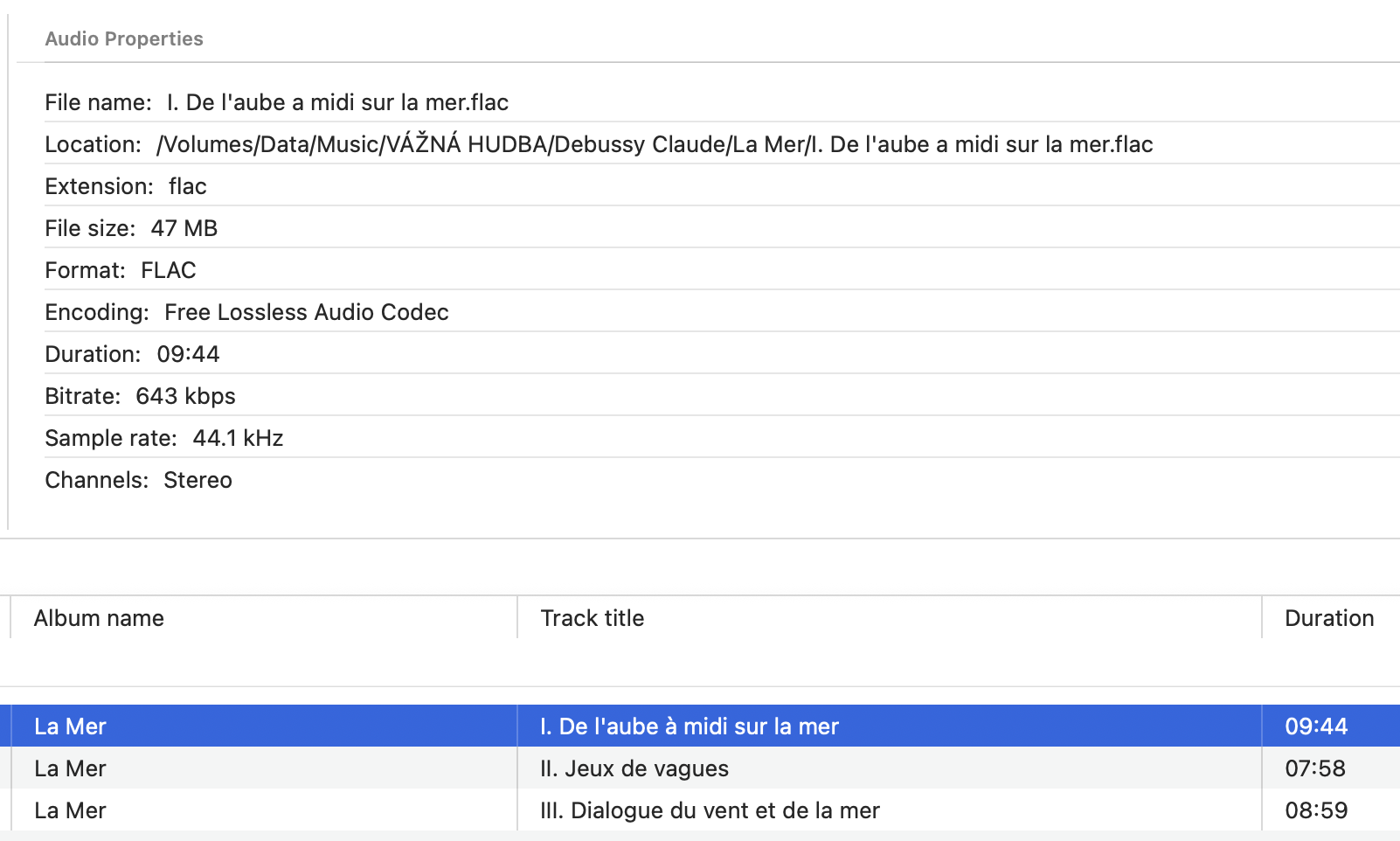
Lossless music is not about chasing a magic number. It is about keeping the recording intact. A lossless file can be decoded back to the same audio data that went into it, which makes it a better long-term home for albums you care about, rare downloads, CD rips, live recordings, and carefully tagged local libraries.
That matters even if you do not hear a dramatic difference every time. A lossless library gives you clean source material for future headphones, speakers, DACs, remasters, conversions, and backups. You can convert from FLAC to ALAC, from ALAC to FLAC, or from a compressed lossless file to WAV without stacking generation loss on top of generation loss.
The catch is that "lossless" and "hi-res" are not the same thing. CD-quality 16-bit/44.1 kHz audio can be lossless. A 24-bit/192 kHz file can also be lossless. Meanwhile, a high-bitrate MP3, AAC, or Opus file can sound very good while still being lossy. Hardware matters too: Apple's own lossless lossless support notes still point out that ordinary Bluetooth connections do not carry lossless audio, so a wired output or suitable playback chain remains important for serious listening.
The short answer
If you are building a local music library in 2026, start with FLAC unless you have a specific reason not to.
- Best overall: FLAC.
- Best for Apple-only libraries: ALAC in an M4A container.
- Best for studio exchange: WAV or AIFF.
- Best specialist archive format: WavPack.
- Best for existing legacy archives: APE, when you already have it.
- Best for SACD-style collections: DSF or DFF, when the source is DSD.
1. FLAC: the best default
FLAC remains the most sensible answer for most people. It is open, efficient, fast to decode, widely supported, good with metadata, good with album art, and well suited to real libraries instead of one-off files. The official FLAC project describes it as lossless audio compression designed specifically for music, and in late 2024 FLAC also became formally specified as RFC 9639. A published specification is the kind of stability an archive format should have.
Choose FLAC for CD rips, Bandcamp downloads, hi-res store purchases, live recordings, and any local library you want to keep portable. It usually saves space compared with raw WAV or AIFF while preserving the audio exactly.
2. ALAC: the Apple-friendly choice
ALAC, usually stored as an M4A file, is the natural pick when your music life is centered on Apple apps and devices. Apple Music's lossless catalog uses Apple Lossless, and Apple's current support page lists standard Lossless up to 24-bit/48 kHz and Hi-Res Lossless up to 24-bit/192 kHz, with an external DAC needed for many higher sample-rate playback paths.
Sound quality is not the deciding difference between FLAC and ALAC. Both are lossless. The decision is mostly about ecosystem. If you live in Apple Music, Music.app, iPhone sync workflows, and M4A metadata conventions, ALAC can be convenient. If you want the broadest non-Apple compatibility, FLAC is usually easier.
3. WAV and AIFF: great working formats, heavy library formats
WAV and AIFF are not usually compressed. They are excellent when you are recording, editing, mixing, mastering, or exchanging audio with production tools. They are simple, direct, and expected in studios.
For a music library, though, they are often clumsy. They are much larger than FLAC or ALAC, and metadata handling can be less predictable across players. If you are keeping final albums, FLAC or ALAC usually gives you the same audible result with a cleaner library footprint.
4. WavPack: the archivist's interesting option
WavPack is the format I would not recommend to everyone, but I would respect in a serious archive. Its official feature list includes broad PCM support, DSD handling, multichannel audio, verification, streaming, gapless playback, and a hybrid mode that can create a lossy file plus a correction file for full lossless restoration.
That makes WavPack useful when your library includes unusual source material or when you like the hybrid idea. The tradeoff is support. FLAC has broader everyday compatibility. Choose WavPack when its specialist features solve a specific archive problem.
5. APE: keep it if you have it
Monkey's Audio, usually seen as APE files, is still around and still focused on lossless compression. The official site continues to publish current releases, so it is not merely a museum format. But it is not my first recommendation for new libraries in 2026.
If you already own APE archives, use a player that handles them. If you are ripping or buying music today, choose FLAC unless APE gives you a specific compatibility benefit in your own setup.
6. DSD: preserve it when the source is DSD
DSD is a different world from ordinary PCM formats like FLAC, ALAC, WAV, and AIFF. If your collection includes SACD-derived DSF or DFF files, it often makes sense to preserve them as they are rather than convert everything just to simplify the folder. The downside is that DSD support is more specialized, and not every player or output chain treats it the same way.
The real perk of lossless music
Lossless formats make your music collection feel less temporary. They are better for archiving, safer for future conversion, kinder to careful metadata work, and more satisfying when you care about the files themselves. You are not renting a stream and hoping it stays available. You are keeping a library.
My recommendation for 2026 is straightforward: use FLAC for most local music, use ALAC when Apple compatibility is the priority, keep WAV or AIFF for production work, and reach for WavPack, APE, or DSD when your archive calls for them.
Playing them in Fibich
A good lossless library deserves a player that treats local files as the center of the experience. Fibich is being built for that: a native macOS music player with broad audio format support, persistent playlists, library organization, metadata tools, CUE sheet handling, detailed audio properties, and output-device selection for setups with external DACs or dedicated audio hardware.
If your collection includes FLAC, ALAC, WAV, AIFF, WavPack, APE, DSD, or the messy mix of formats that real libraries tend to collect over time, Fibich is built to play and organize that mix. It keeps the files, metadata, and playlists visible in one native Mac app.