This week Fibich improves two everyday workflows: adding music to playlists and choosing an audio output.
The playlist work started with a small context-menu improvement. A library item can now be enqueued not only into the current playlist, but also into a newly created playlist. That makes the library feel more useful as a starting point. Sometimes I do not want to interrupt the current queue; I want to pick an album or folder and immediately start a new listening space for it.
Drag and drop from the library also became more precise. Fibich can now preserve ordering when library items are dragged into a playlist. If I drag an album, I expect the tracks to land in the right order. A music player should not make me repair the sequence manually after every drop.
The code obstacle here is that the library and the playlist do not represent music in exactly the same way. The library may be hierarchical: folders, albums, tracks. The playlist is ordered and flat enough for playback. Dragging from one world into the other needs a payload that keeps enough meaning: what was dragged, where it came from, and how it should be inserted.
I also raised the minimum SFBAudioEngine version. Fibich depends on the engine for wide format support and playback, so this update keeps that dependency current.
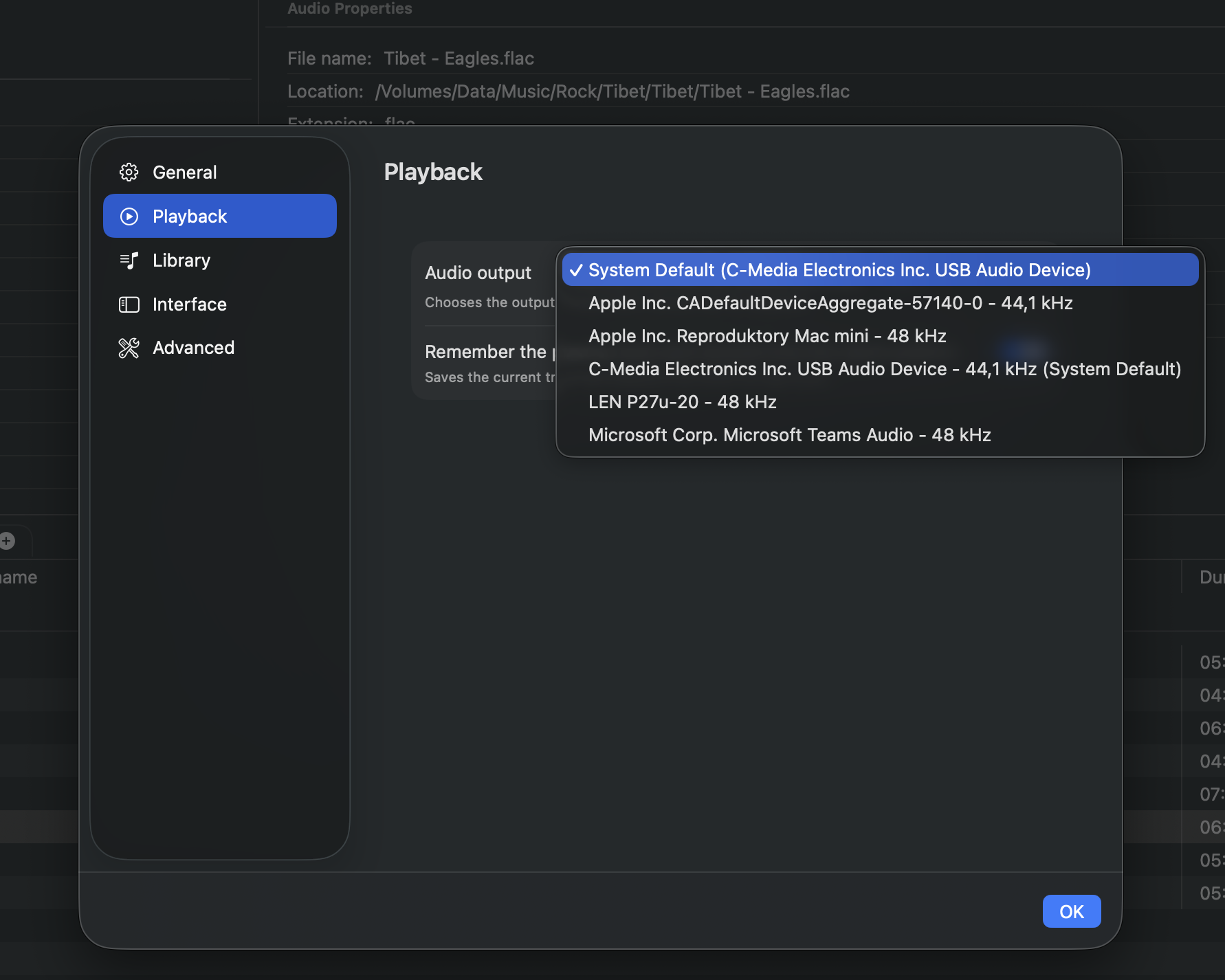
The biggest visible addition today is the audio output device picker.
Fibich can now expose available output devices in settings, remember the selected output, and route playback accordingly. This is a very natural feature for a hi-fi player on macOS. Many listeners do not only use the built-in speakers. They may use an external DAC, USB interface, headphones, HDMI output, or another dedicated audio device.
The implementation has a few moving parts. The app needs to ask Core Audio for available output devices, observe device changes, represent those devices in a model, show them in settings, persist the user’s selection, and apply that selection to playback. It also needs to behave sensibly when the selected device is no longer available.
That last part is important. Audio devices are not static. A DAC can be unplugged. Headphones can disappear. The system default output can change. Fibich needs to treat output routing as living state, not a fixed preference written once and forgotten.
I added tests around the output settings, selection storage, and routing behavior too. That felt necessary because output routing is the kind of feature where the happy path is easy, but the edge cases matter most: missing devices, changing lists, remembered selections, and fallback behavior.
There is also a small startup polish fix: the library should no longer briefly flash as empty while the app is still loading. It is a tiny visual detail, but it affects trust. If the app already knows about my library, I do not want to see it disappear for a moment every time Fibich starts.
The result is a smoother path from the library to a playlist, plus persistent control over the audio output device.
For a local macOS music player, both matter. The app should help me build the listening queue I want, then send the sound to the hardware I use.