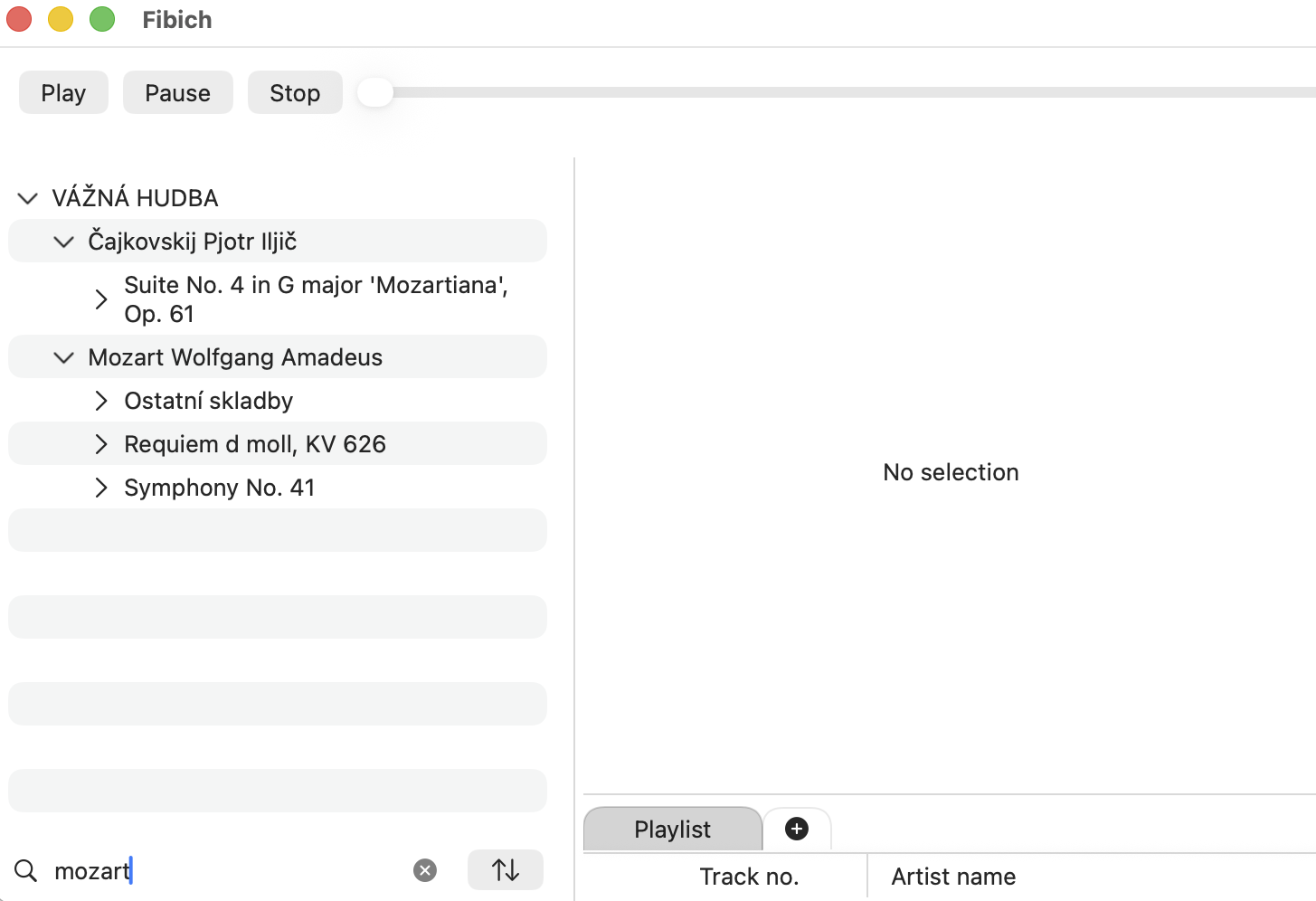
Today Fibich gets a feature that sounds ordinary until the library starts to become real: search.
The library browser now has full-text filtering and basic sorting controls. Type into the search field to narrow the library, then choose its order. The change addresses a practical question: how should Fibich behave once a music collection is no longer small?
A local hi-fi library can grow quickly. A few FLAC albums become a few hundred tracks. Then come live recordings, archived releases, different masters, folders sorted by artist, folders sorted by label, maybe classical albums where filenames begin with movement numbers, or compilations where the usual artist-album structure becomes less tidy.
At that point, browsing alone is not enough. The app needs to help the user get back to a specific album, artist, or track without forcing them to manually open every folder.
Today's work adds a search field directly to the library browser. It also adds a small sorting model, currently just ascending and descending, so the library can start to respond to different browsing habits. This is not a huge feature on paper, but it begins to make the library feel interactive rather than static.
The main obstacle is Fibich's hierarchical library.
The browser is built around expandable items, so filtering has to work with structure. A simple list of tracks would be easier: take all rows, compare text, hide what does not match. But a music library usually has hierarchy. If a matching track belongs inside an album or folder, the app still needs to keep enough context for the result to make sense. Search should not make the library feel broken just because the matching item is nested.
Sorting has its own small traps too. Music filenames often start with numbers: 01, 02, 10, and so on. If those are treated only as plain text, the order can feel wrong. So I have started adding small helpers for reading leading numbers from strings. It is a tiny code-level detail, but it points toward a larger goal: Fibich should sort music in a way that feels natural for albums, not just alphabetically convenient for a computer.
There is also some ongoing work around refreshing the current library after changes. Once the app can update stored library items, the interface needs to reflect those changes cleanly. That means the browser cannot be only a passive view. It has to stay connected to the persistence layer without becoming tangled with it.
I am adding useful features while keeping the code easy to extend.
Today, the result is practical. The library is easier to scan, easier to narrow down, and a little closer to how a real macOS music player should behave when handling a serious local audio collection.
Once a library grows large, search determines how quickly you can return to a specific album, artist, or track.