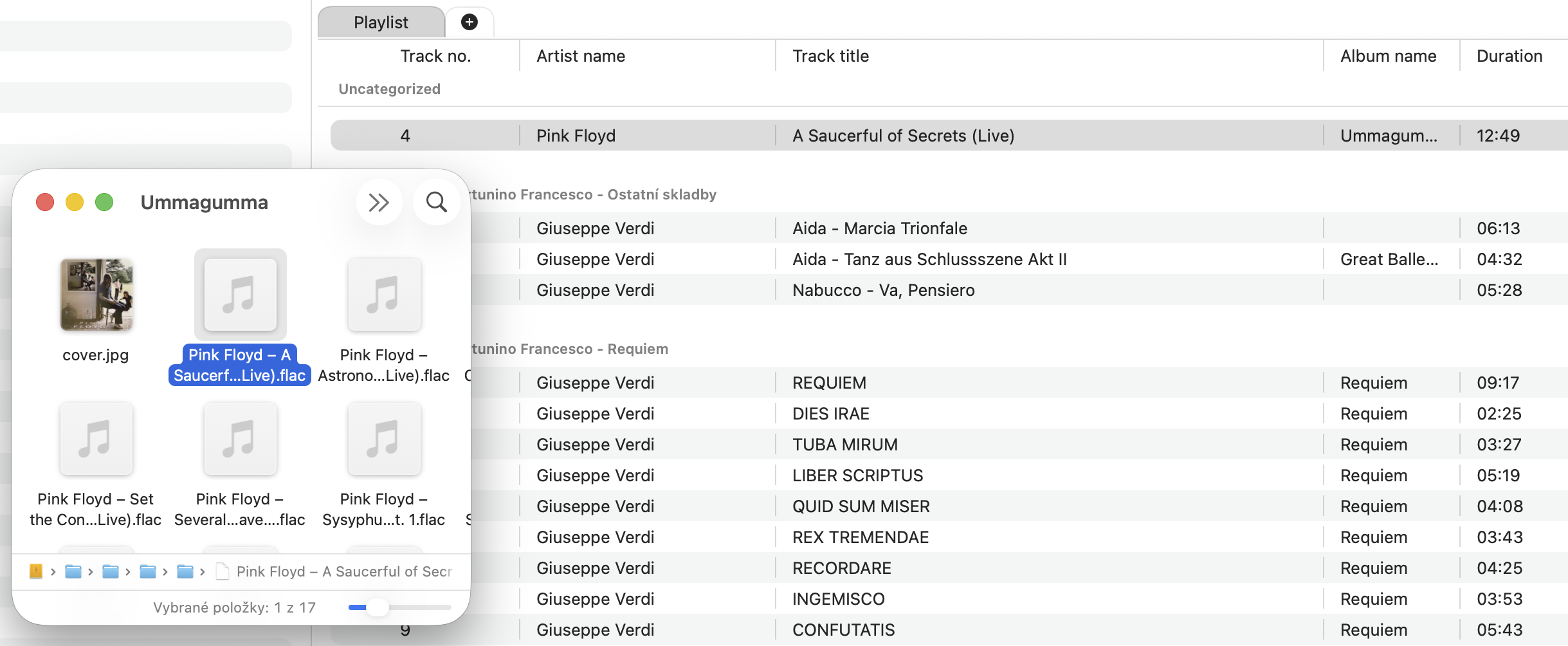
Today Fibich can receive tracks opened from macOS.
Music files can now enter Fibich from Finder as well as the library browser. Users can open or queue files where they already manage them.
The code-level challenge here is that system file opening does not arrive through the same path as a normal button click inside the player interface. macOS sends the app file URLs from the outside, so Fibich needs a place to catch those events, translate them into playable tracks, and pass them into the current player state.
That led to a new file-opening flow around the app delegate and a small manager responsible for handling opened files. The app also needs to declare the file/document behavior in its configuration, so macOS knows Fibich is able to receive these audio files properly.
Once the files arrive, the harder question is: what should happen to them?
For now, the focus is on opening and queueing tracks into the current playlist experience. That fits the direction of Fibich well. The library remains the long-term home for organized music, but a user should also be able to grab a few files directly from Finder and start listening without first rebuilding the whole library.
Today also improves the playlist itself. Multiple playlist items can now be selected, and selected items can be removed from the current playlist. This is another practical step toward making the playlist feel editable rather than fixed.
Selection sounds simple until it interacts with playback. The app has to know which rows are selected, which track is currently playing, and what happens if the user removes items while the playlist is active. A music player should never make the user afraid to clean up the queue.
This update also adjusts metadata handling for files opened from the system. Fibich needs enough information to label those tracks, not only to decode them.
Finder can now be part of the listening flow, and the playlist is easier to edit. Fibich accepts music from outside its own library path, which is important for real-world use.
Sometimes you want a carefully organized library.
Sometimes you just want to open a folder, pick a few tracks, and listen.
Fibich needs to handle both.