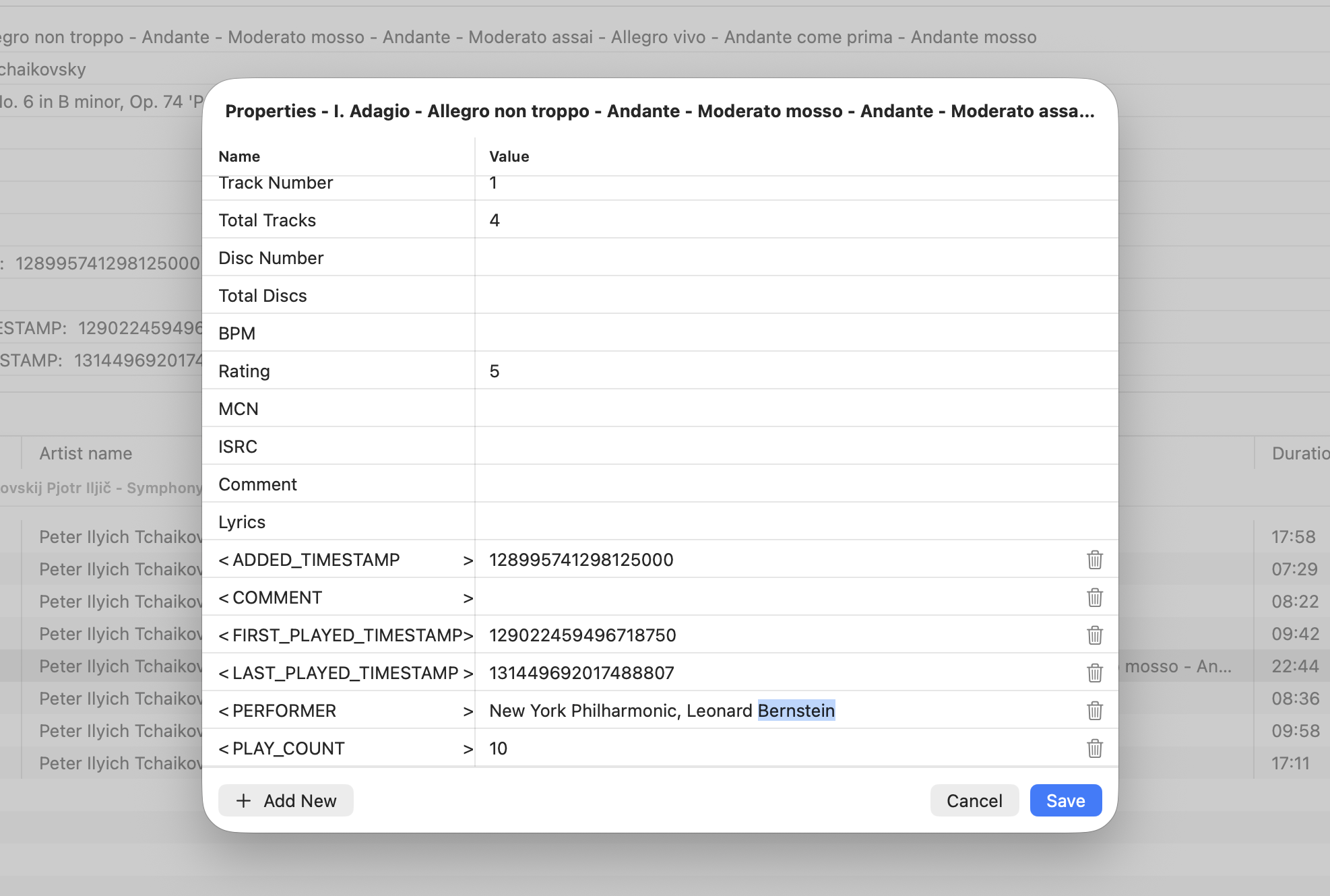
Fibich has been quiet for a while, but today it moves into a much more serious part of local music management: metadata editing.
Until now, metadata has mostly been something the app reads and displays. That is already useful, because a music library becomes much easier to understand when tracks show real titles, artists, albums, durations, and other details instead of bare filenames.
But for a local hi-fi collection, reading metadata is only half of the story. Tags are often incomplete, inconsistent, or just wrong. A downloaded album may have missing track numbers. A live recording may have no album artist. Older files may carry strange values. Sometimes the user wants to clean up their own library.
So this week Fibich gains a metadata editor.
This is a bigger step than it first appears, because editing metadata touches the actual audio file. A mistake here is more serious than a wrong label in the interface. The app needs a draft state, validation, saving logic, and a clear boundary between what the user is currently editing and what has been written back to the file.
That is why I added a dedicated metadata edit draft and an audio metadata store. The draft lets the interface work with temporary changes safely. The store gives the app a clearer place for the real read/write work. Keeping those apart matters: the UI can be flexible, but writing tags needs to be deliberate.
There is also numeric validation now. Some metadata fields are not free text in practice. Track number, disc number, year, BPM, and similar values need to behave like numbers. Without validation, it is too easy to save something that looks fine in a text field but becomes messy as real file metadata.
Additional metadata fields can now be added and removed too. This is important because music tags are not one-size-fits-all. A simple pop album and a carefully archived classical recording may need different fields. Fibich should not assume that only a tiny fixed set of metadata matters.
I also added a test target and the first unit tests around metadata editing. That felt necessary right away. Once the app starts changing audio file metadata, I want more confidence that drafts, validation, and saving behavior stay predictable. This is one of those areas where tests are not decoration. They are a safety rail.
The editor UI changed during the work as well. It now presents as a sheet, which feels more natural on macOS for this kind of focused editing task. When adding a new metadata row, the view also scrolls to it automatically, which keeps the interaction from feeling clumsy.
This week also adds localization support, starting with English and Spanish. As the app gains dialogs, validation messages, and editing flows, its text needs to live in a translation system instead of being scattered through the code.
This week's progress makes Fibich feel less like only a player and more like a library tool.
It can play local audio files, organize them into playlists, and now begin helping the user improve the information stored inside the music itself.
A well-kept music library includes both files and accurate metadata. Fibich now lets the user work with both.